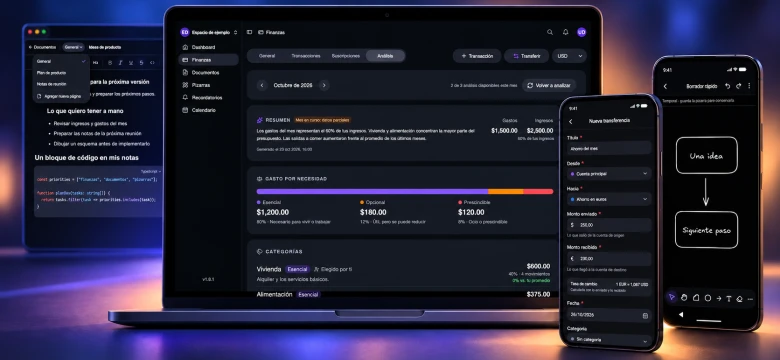
When I introduced Nottrix, I explained why I had decided to build a tool to organize my daily life. I wanted documents, finances, whiteboards, and reminders in one place, adapted to what I needed.
I have kept using it every day since then. Using your own application for months gives you a fairly concrete set of priorities: you notice what you always open, what you barely use, and which details waste your time.
The project page was added to this website in August 2026. Taking that publication as the starting point, this is an update on what has changed through October 2026 and the needs behind those changes.
Finances is still what I use most
The section I use almost every day is finances. I track what I spend and what comes in, and I can compare it with previous months.
That ongoing record is what makes it valuable to me. Recording an expense takes little time, but keeping that habit for months lets me look back and better understand how my money has moved.
This feature did not arrive with this update: it was already part of Nottrix when I introduced it. It is the module that became part of my routine and kept me using the application while I continued working on it.
It has received improvements too. The selected currency now persists, and the financial overview uses a shared endpoint for web and mobile. These are small details from a user's perspective, but they matter when you repeat an action every day.
A monthly analysis with AI
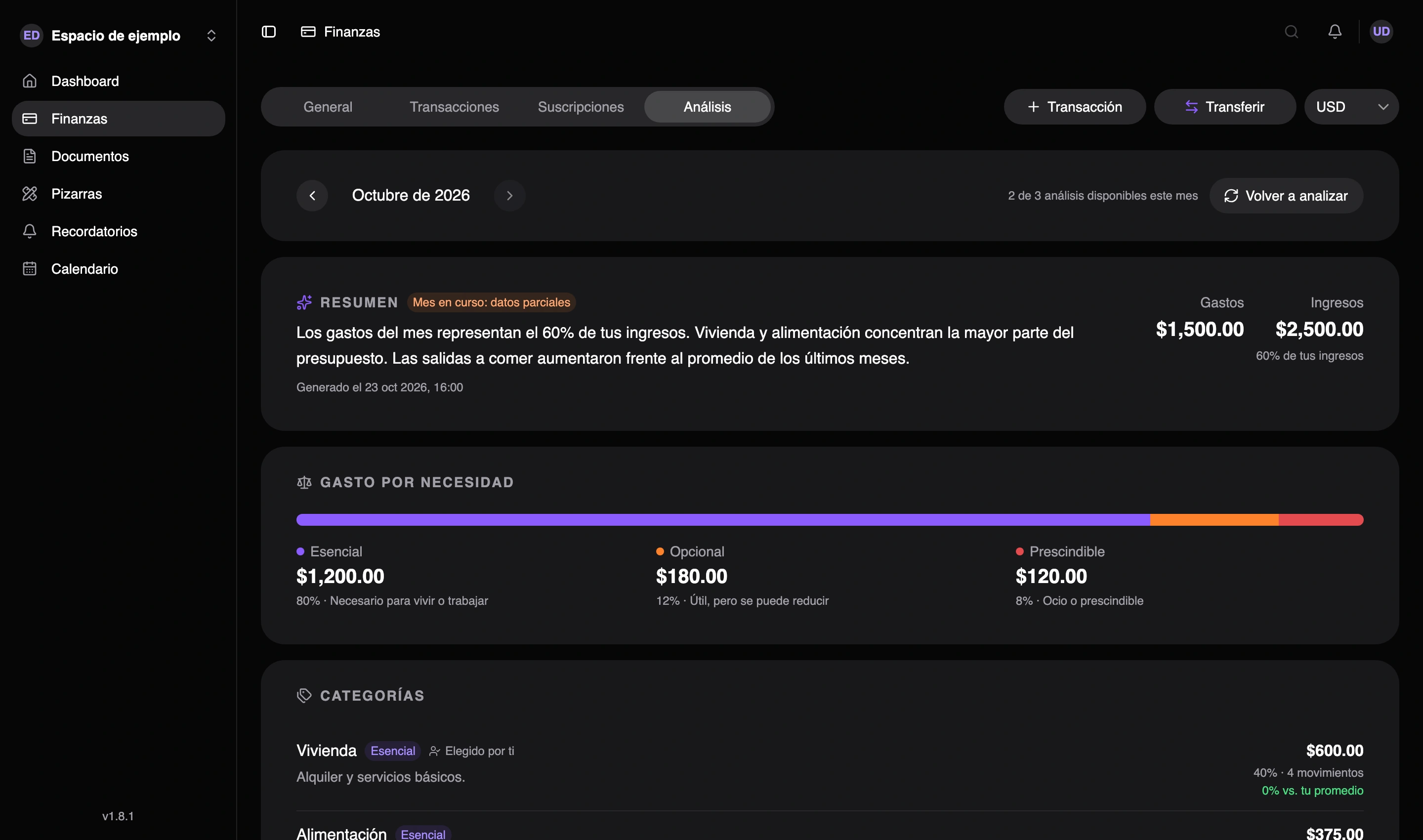
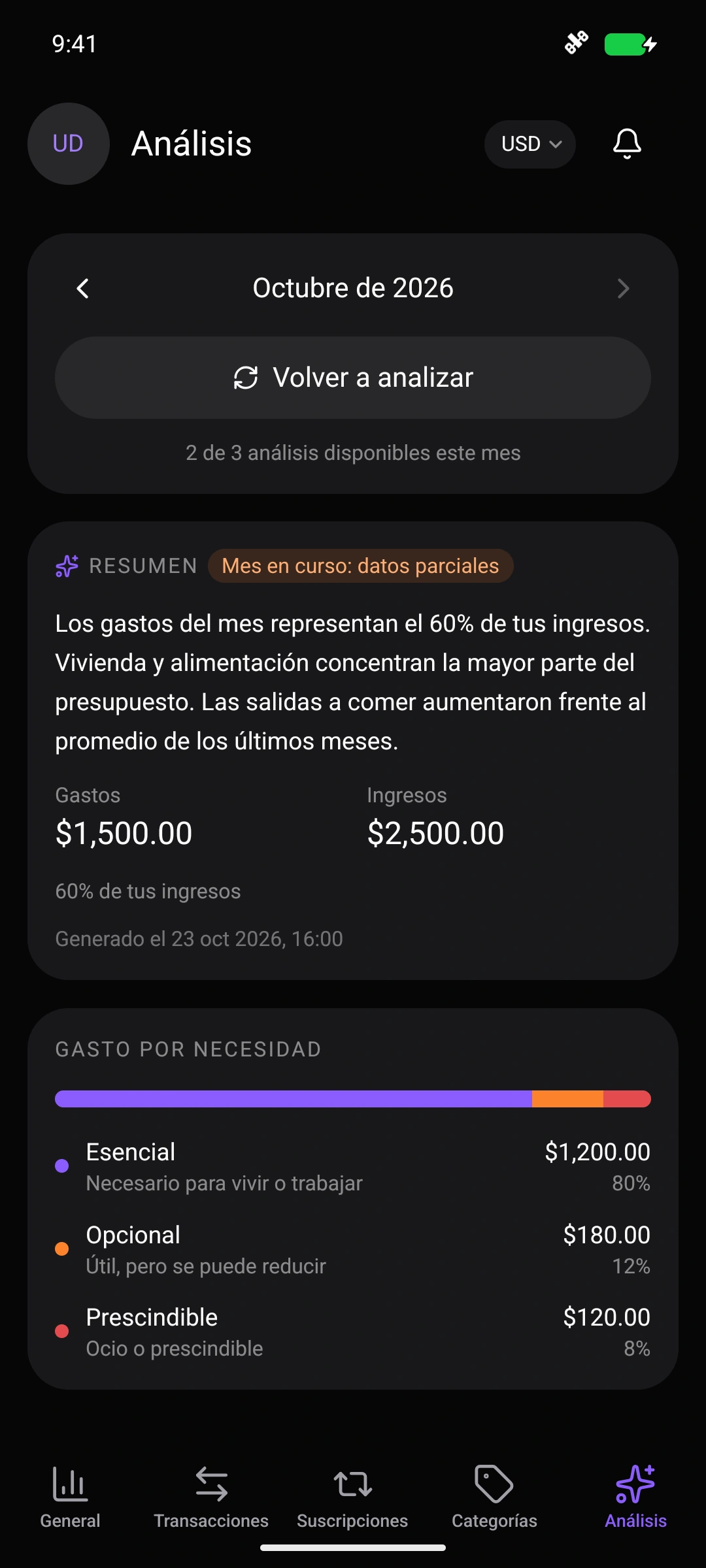
The next step for finances has been adding an AI monthly analysis, available on both web and mobile. After months of recording transactions, I wanted that information to help me better understand my habits too.
I can choose a month and generate a spending summary, see which categories account for the most money, and compare them with the average of the previous three months, when history is available. If the month is still in progress, the analysis makes clear that the data is partial.
The AI classifies spending as essential, optional, or discretionary, explains that classification, and highlights changes worth reviewing. It also offers suggestions based on the recorded transactions. If I have already set a category's necessity level, the analysis respects my choice.
Amounts and percentages are calculated from transactions; the AI adds interpretation. The result is saved so I can revisit it by month and currency. For me, it is a way to get more from the daily record: alongside seeing how much I spent, I can look at where it went and how that compares with previous months.
Transfers between accounts, in the same or different currencies
Tracking my finances in Nottrix was missing a common action: transferring money between my own accounts. Moving some money into savings or withdrawing cash should not make it look as though I earned or spent that money again.
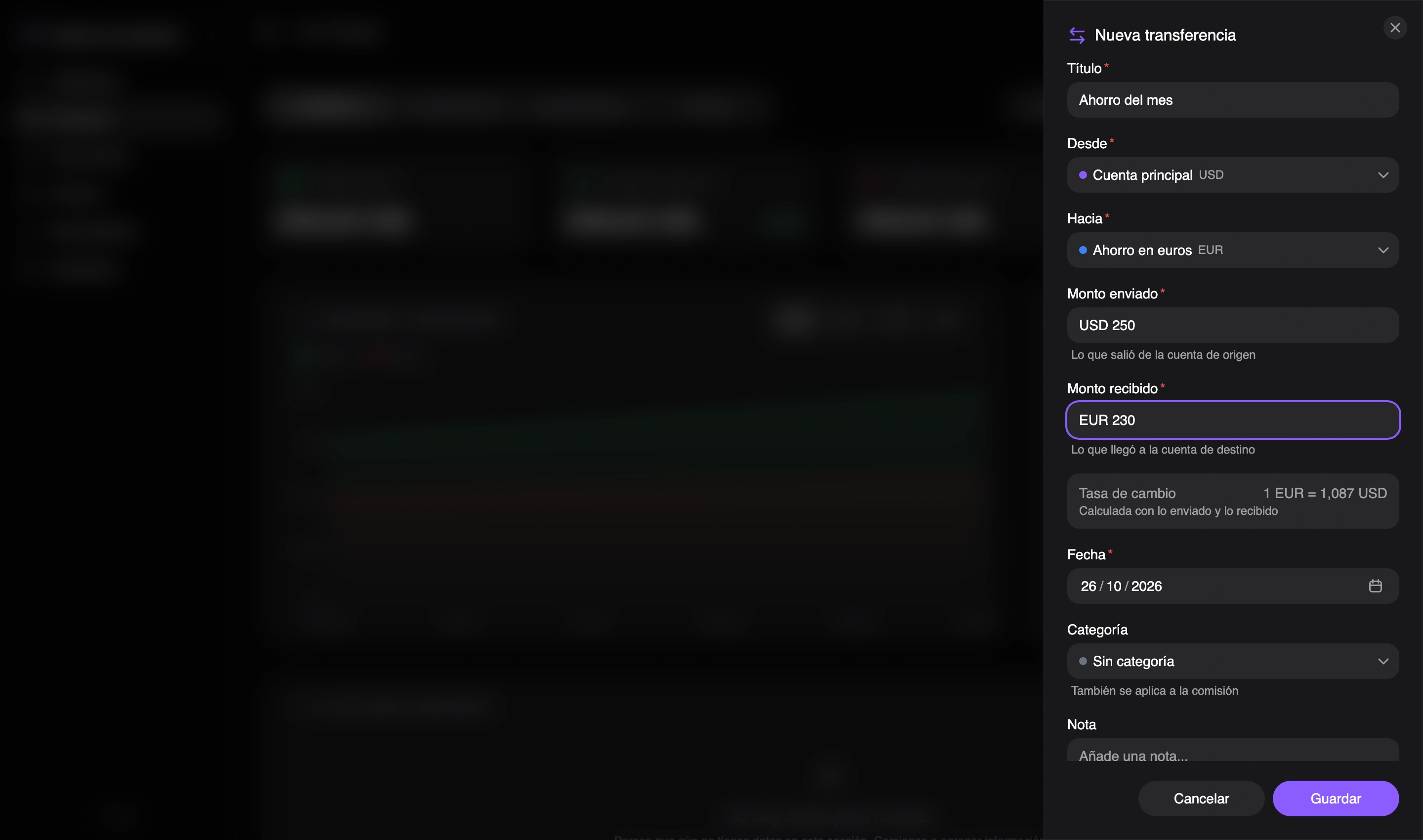
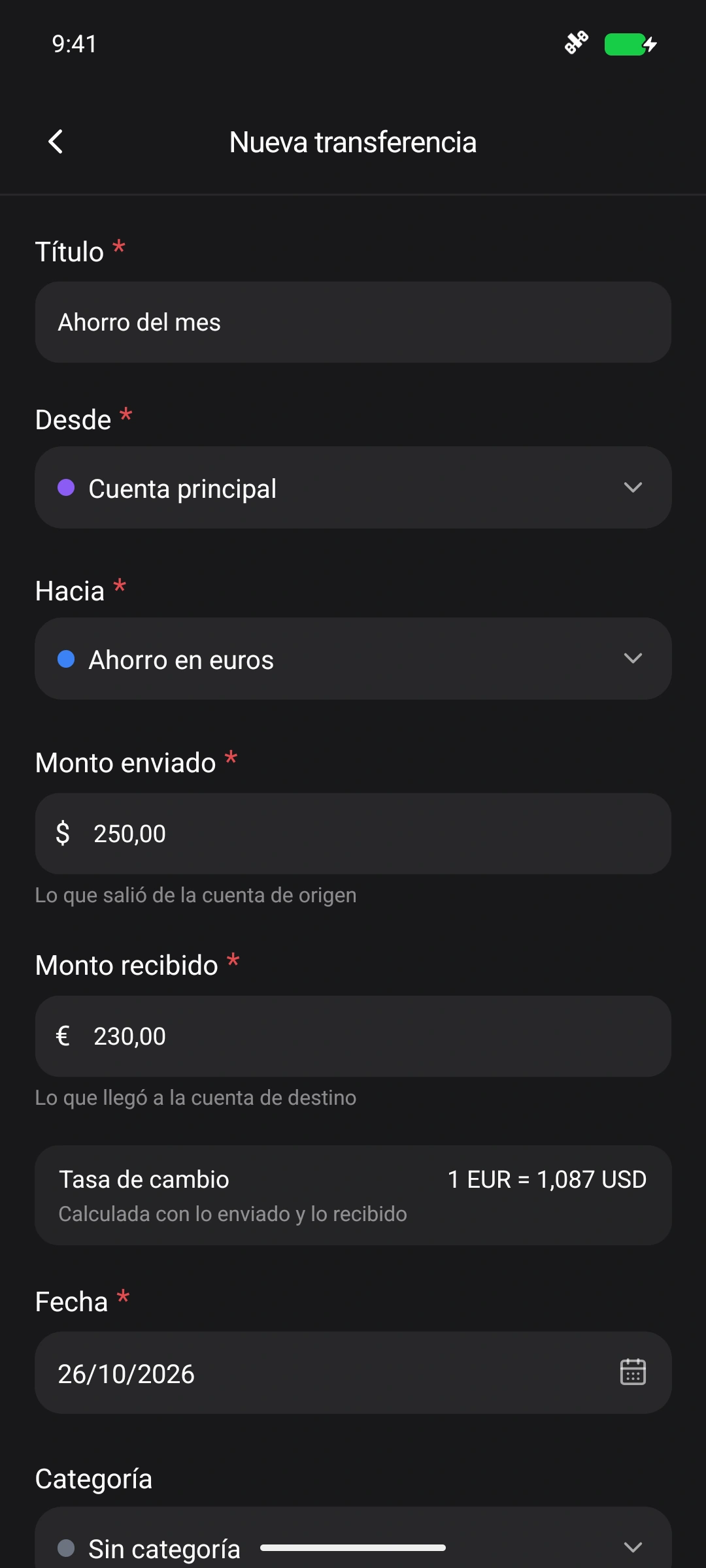
I can now record a transfer by choosing the source and destination accounts and entering how much left one account and how much reached the other. Each account’s balance updates, and the movement is identified as a transfer.
Between accounts in the same currency
I can move money from my main account to savings or cash while keeping the same currency. If I send USD 100 and USD 98 arrives, the USD 2 difference is recorded separately as a fee. A gain is also supported when the amount received exceeds the amount sent. This keeps the transfer and its cost clear without counting the whole amount as new income or spending.
Between accounts in different currencies
I can also send, for example, USD 250 from one account and receive EUR 230 in another. Each account keeps its amount in its own currency, and Nottrix displays the exchange rate calculated from the amounts sent and received. That rate reflects the recorded transaction; the difference between the two amounts is not treated as a fee.
Making documents more useful
Because finances was what I used most, I started looking for ways to get more out of the other features. The document editor became one of the main areas of work.
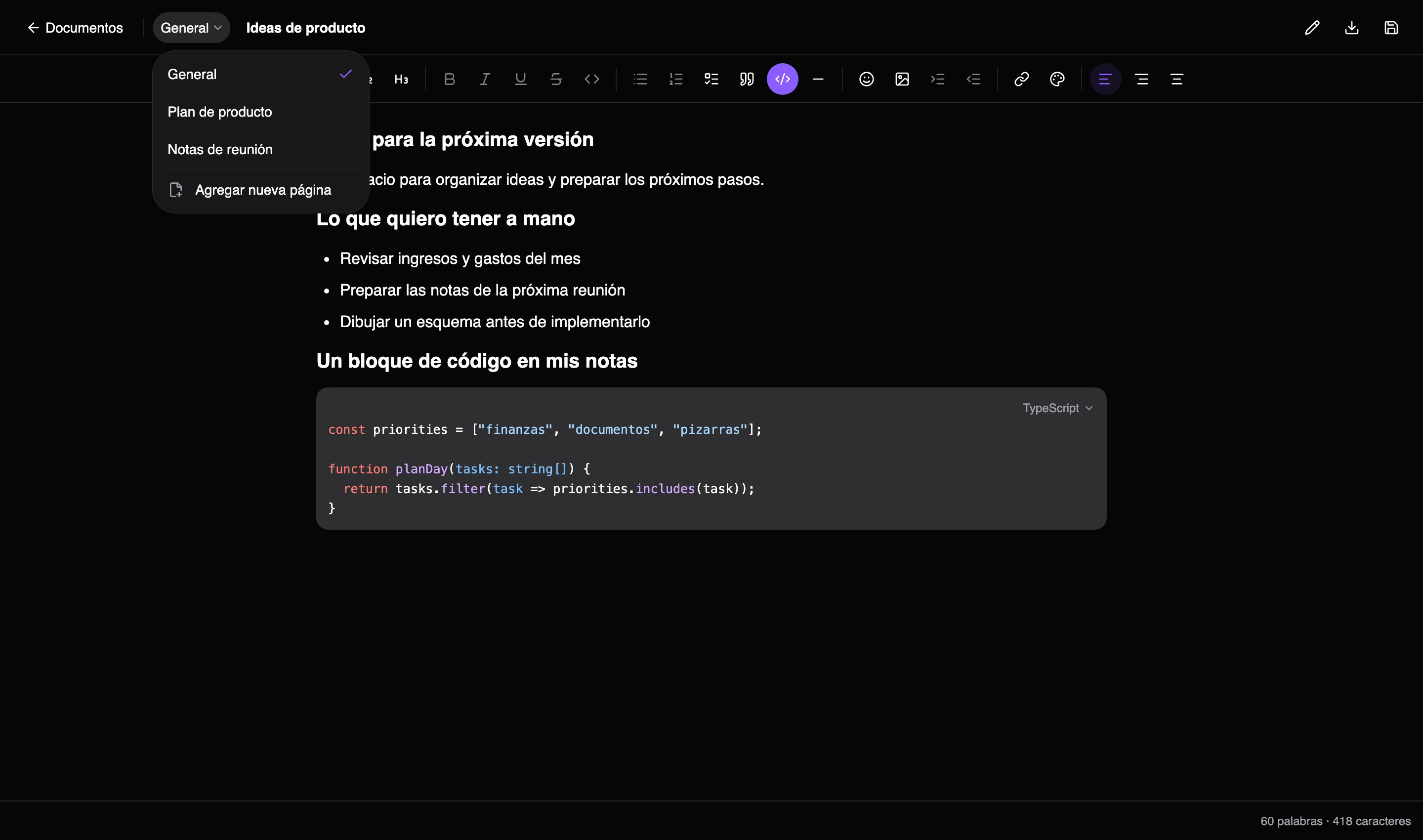
First, I refreshed the editor's foundation. More visible improvements followed: code blocks with syntax highlighting, a better emoji picker, and a menu to move, duplicate, convert, or delete blocks.
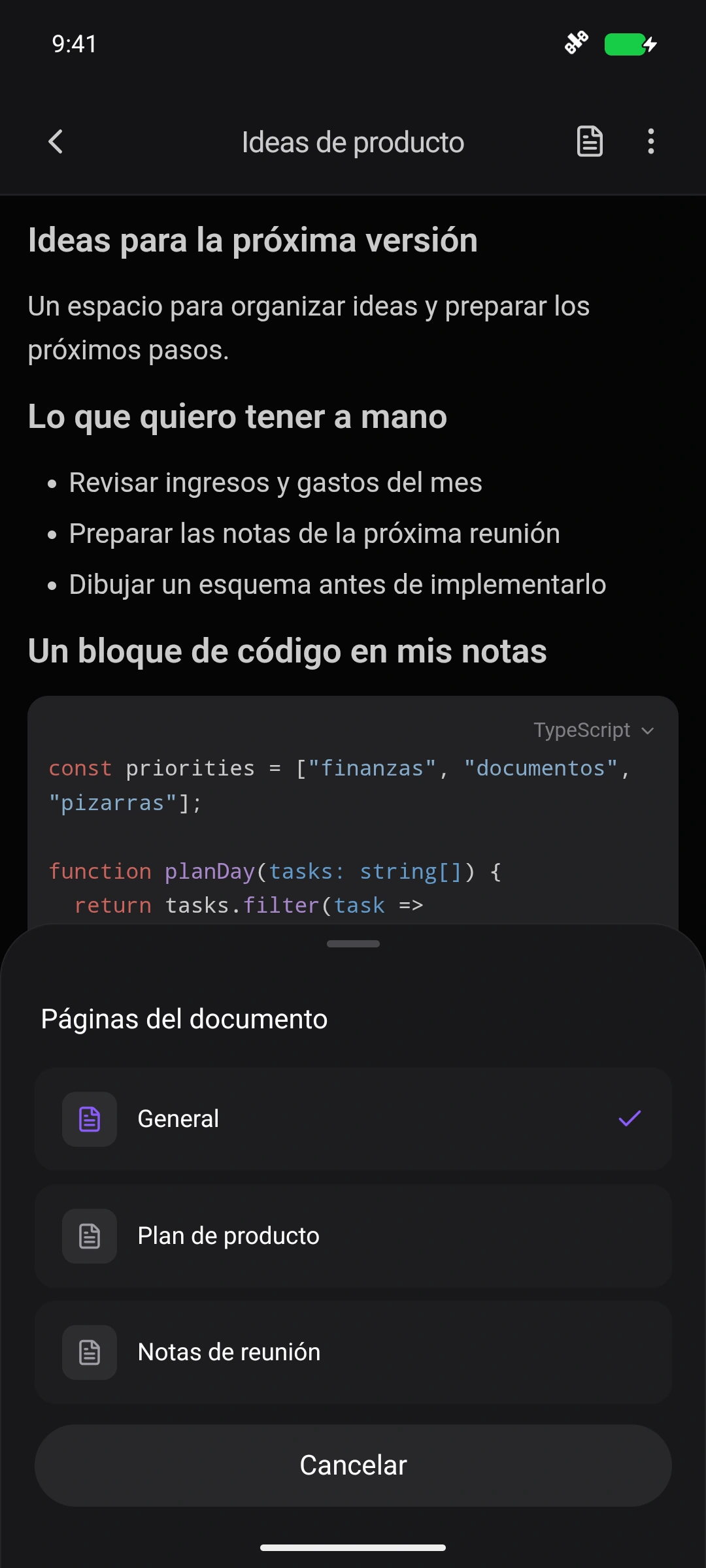
But the change I wanted most was the ability to have multiple pages or sections inside a single document.
Some content belongs to the same topic, but I do not want to mix it all into one endless page. I can now keep it in the same document and separate it into sections. That makes it easier to organize information without filling the main list with related documents.
PDF export follows that structure too: you can export the current page or all sections. I also fixed a small but noticeable detail: emojis are now preserved when exporting a PDF.
Whiteboards you can open just to explain something
For whiteboards, I worked on both the interface and the way they are used. I refactored the controls to make them more comfortable on mobile while keeping the same design across both platforms.
The other addition is the quick draft. Before drawing something, you do not always want to name a whiteboard and decide that you will keep it. Sometimes you just need to explain an idea to someone, sketch during a meeting, or draw something for a moment.
You can now open a whiteboard as a draft, use it, and decide afterward whether to save or discard it. Starting to draw no longer means creating a saved whiteboard.
I like this kind of change because it expands the situations where the tool is useful. A whiteboard can be a space you work in for days, but it can also be something you need for five minutes.
I also spent time on the native parts of the mobile app that work alongside those web editors. For example, switching document sections, choosing colors, or opening whiteboard actions can use native bottom sheets. The editor keeps using its web tools, while navigation and actions feel at home on a phone.
Over time, I also grew uncomfortable with documents and whiteboards opening inside the main web app navigation. I moved both editors into their own focused views, dedicated to editing without the rest of the interface around them. It sounds like a small change, but it makes working with the content much more comfortable.
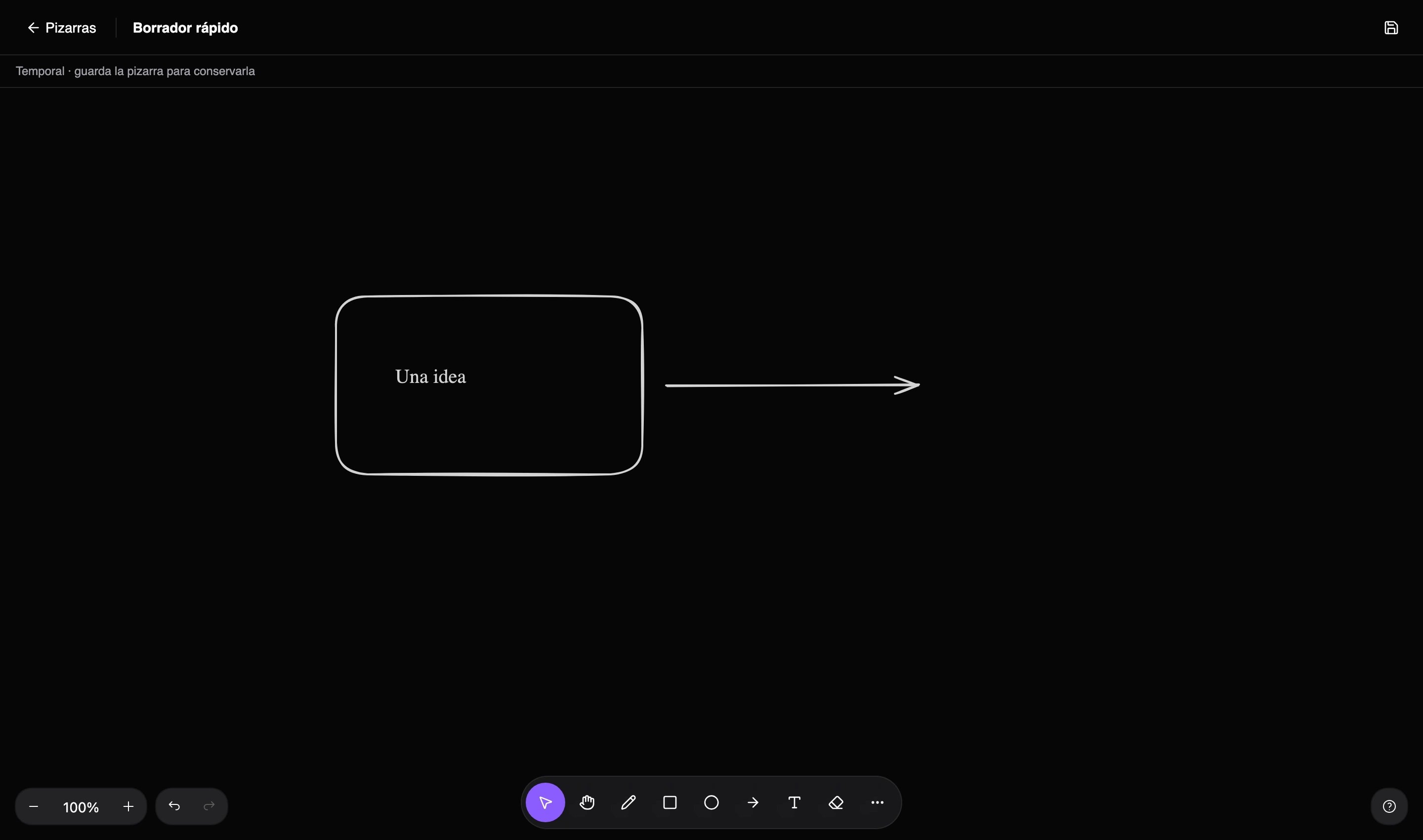
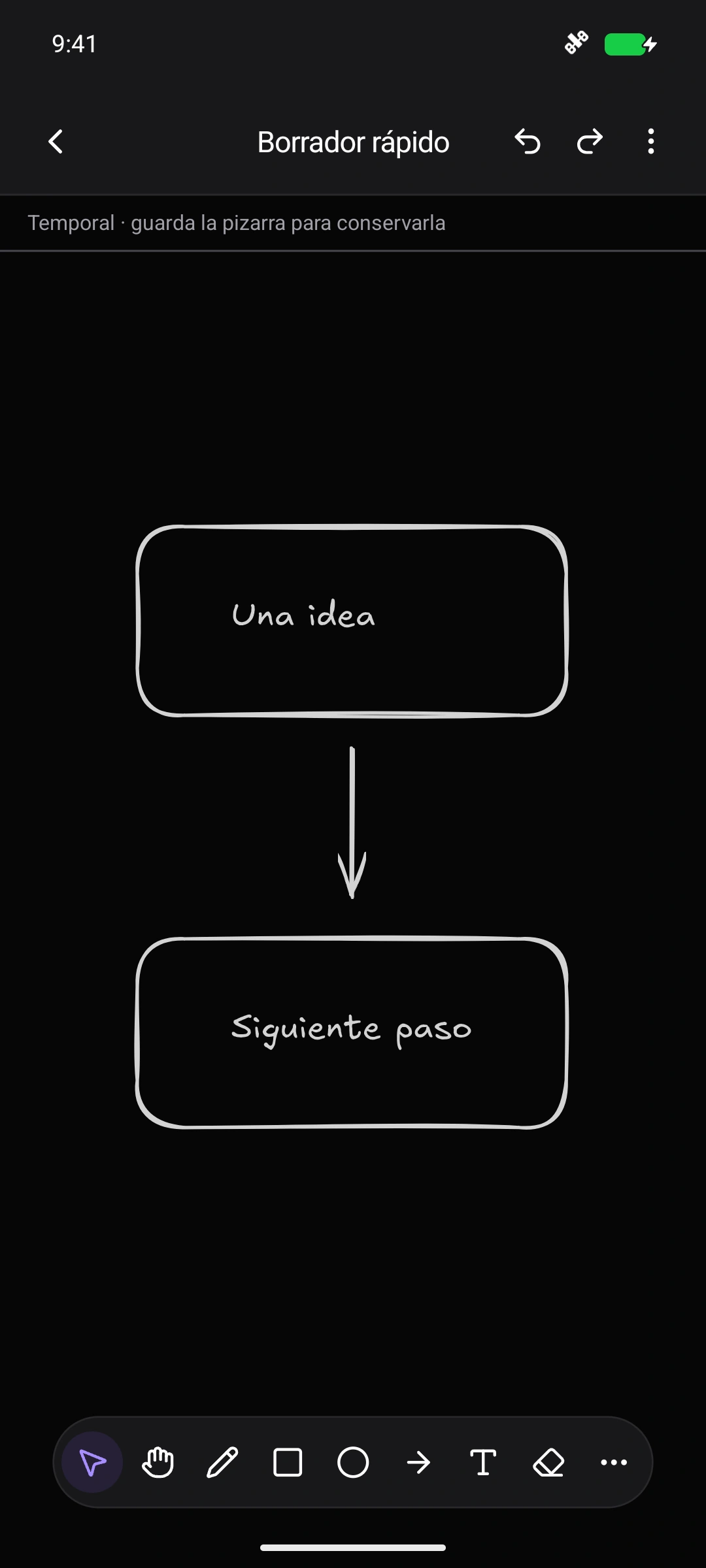
Images in documents and whiteboards
I also worked on image uploads for both editors. On mobile, I implemented photo selection natively with Expo, so you can choose images directly from the device library and use them on a whiteboard.
Images are stored in an S3-compatible bucket and optimized before they are saved. Supporting attachments was only part of the work: file size also affects the experience of opening a document or whiteboard.
Whiteboards now show loading placeholders over images while they download. That helps explain what is happening when the content is not ready yet.
A calendar to see what is coming
Another addition is the calendar module, available on web and mobile. It brings reminders and upcoming subscription charges into a single view.
Both already existed separately. Seeing them together makes it possible to check the next few days without switching sections. Reminders have their scheduled dates, while charges are projected from subscriptions.
It fits the original idea behind Nottrix: bringing everyday information together and making it accessible in fewer steps.
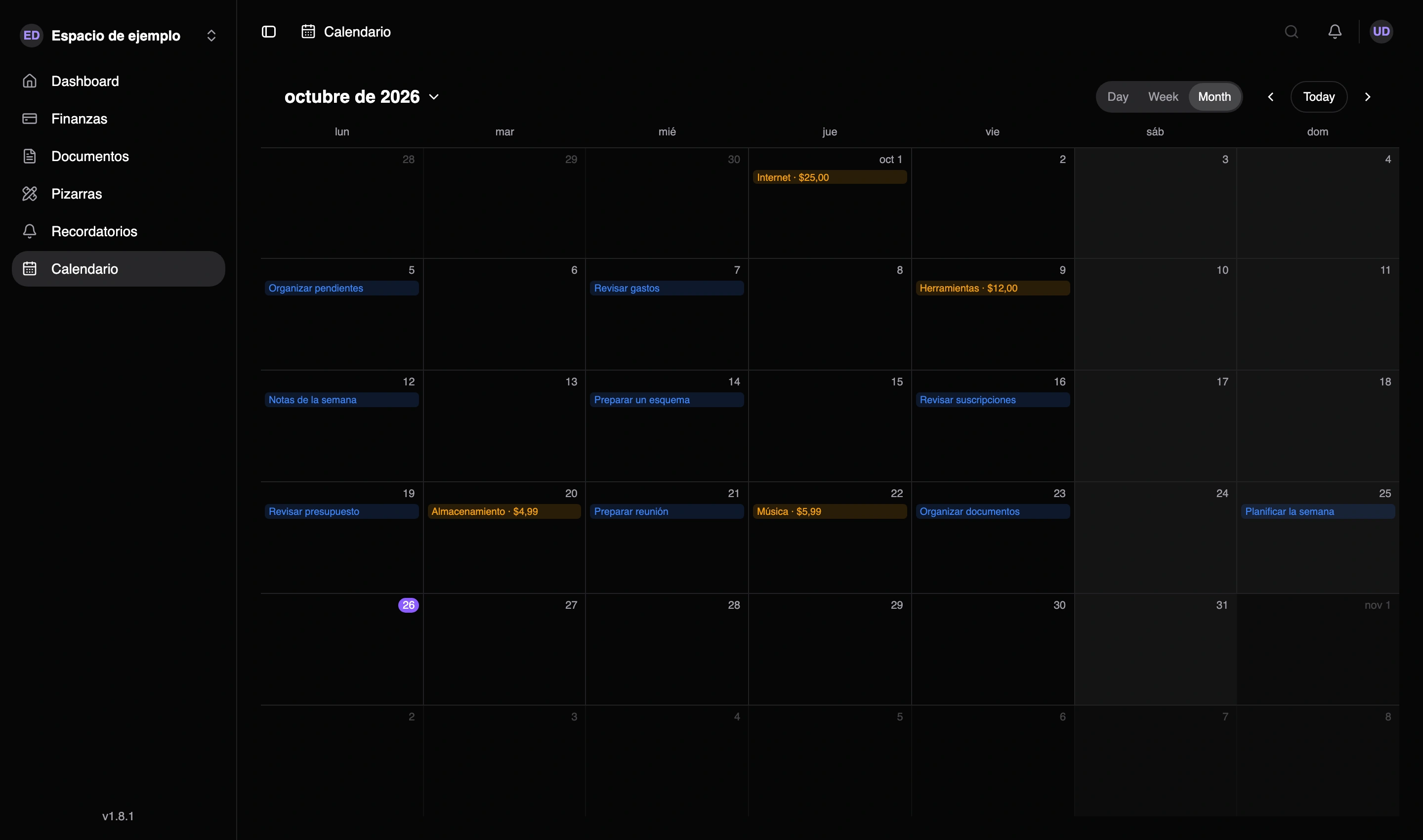
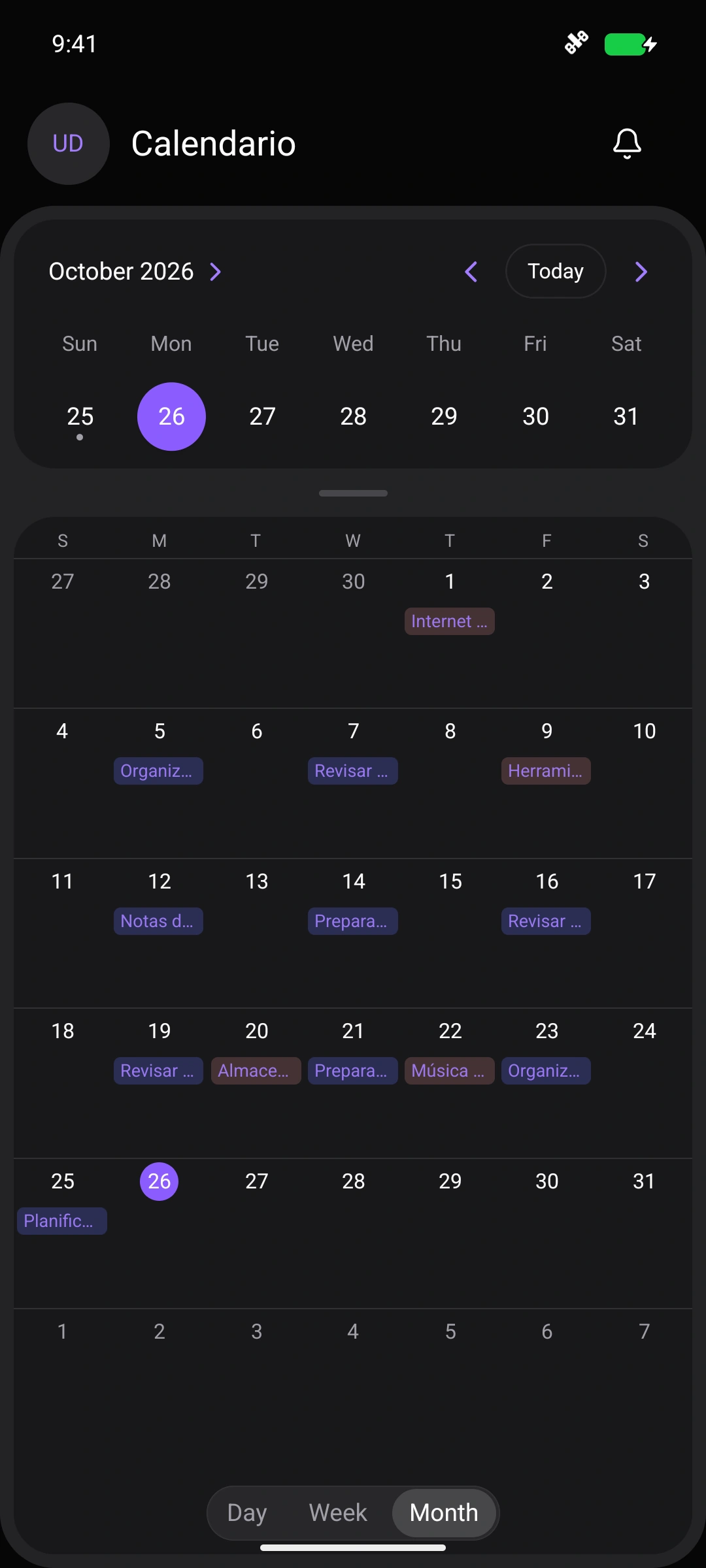
Two Android widgets
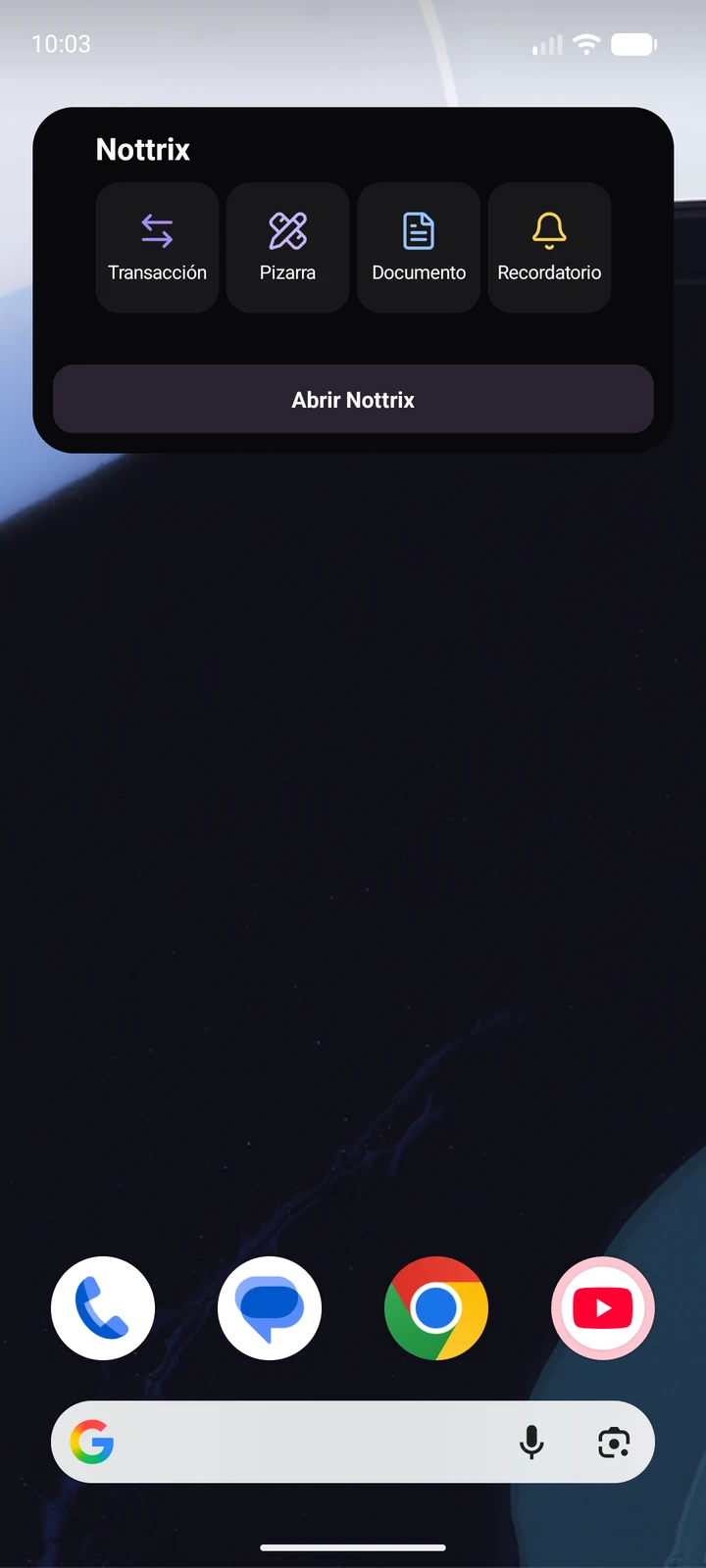
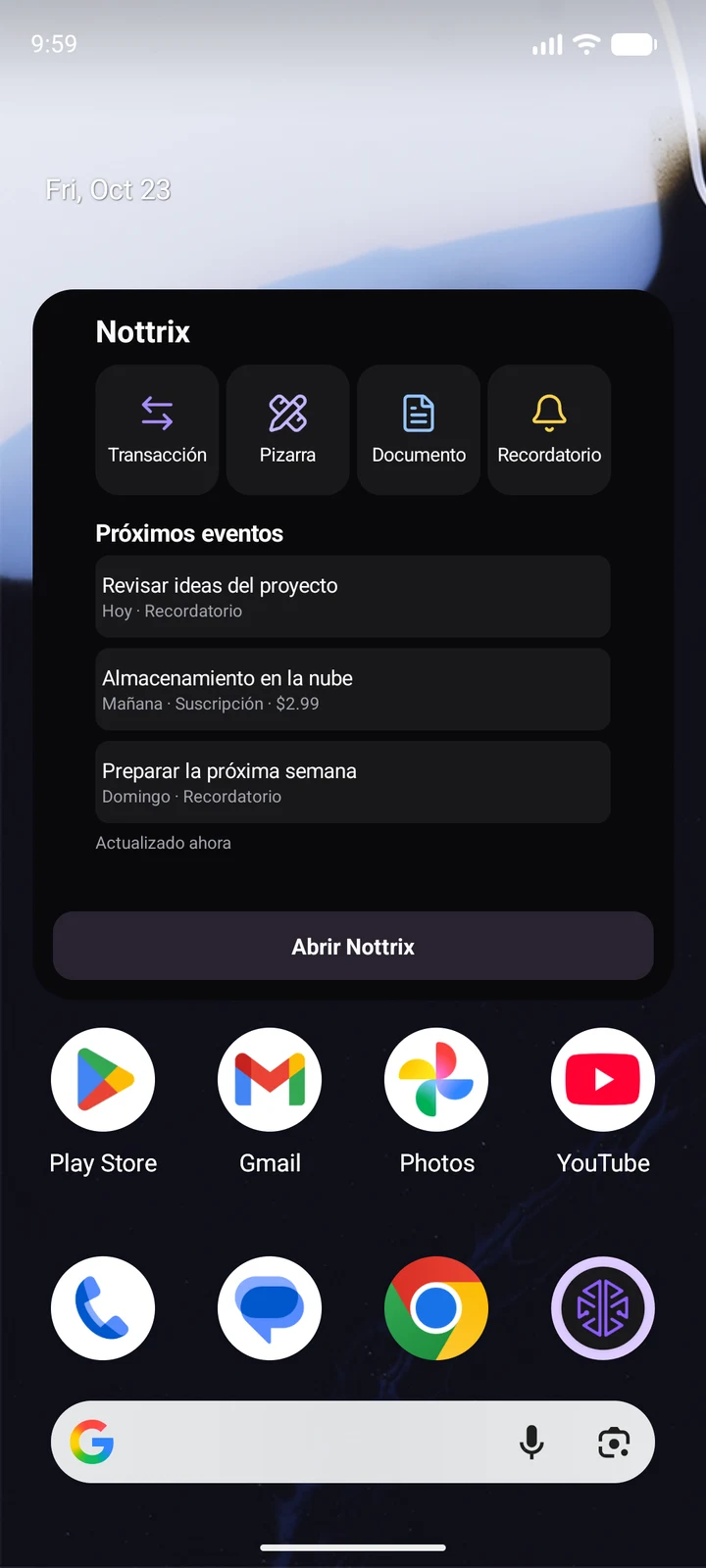
Another recent addition is two widgets for the Android home screen.
The small one focuses on quick actions. The large one combines those same shortcuts with an agenda of upcoming events: reminders and subscriptions.
The shortcuts open common actions for finances, documents, reminders, and quick whiteboard drafts. The aim is to shorten the path between needing to do something and having the right screen open.
The widget’s movement shortcut now opens the menu to choose what to record, including a transfer between accounts.
The two sizes give me a choice: quick actions in the small widget, or those same shortcuts alongside the agenda in the large one.
Helping people discover what is already there
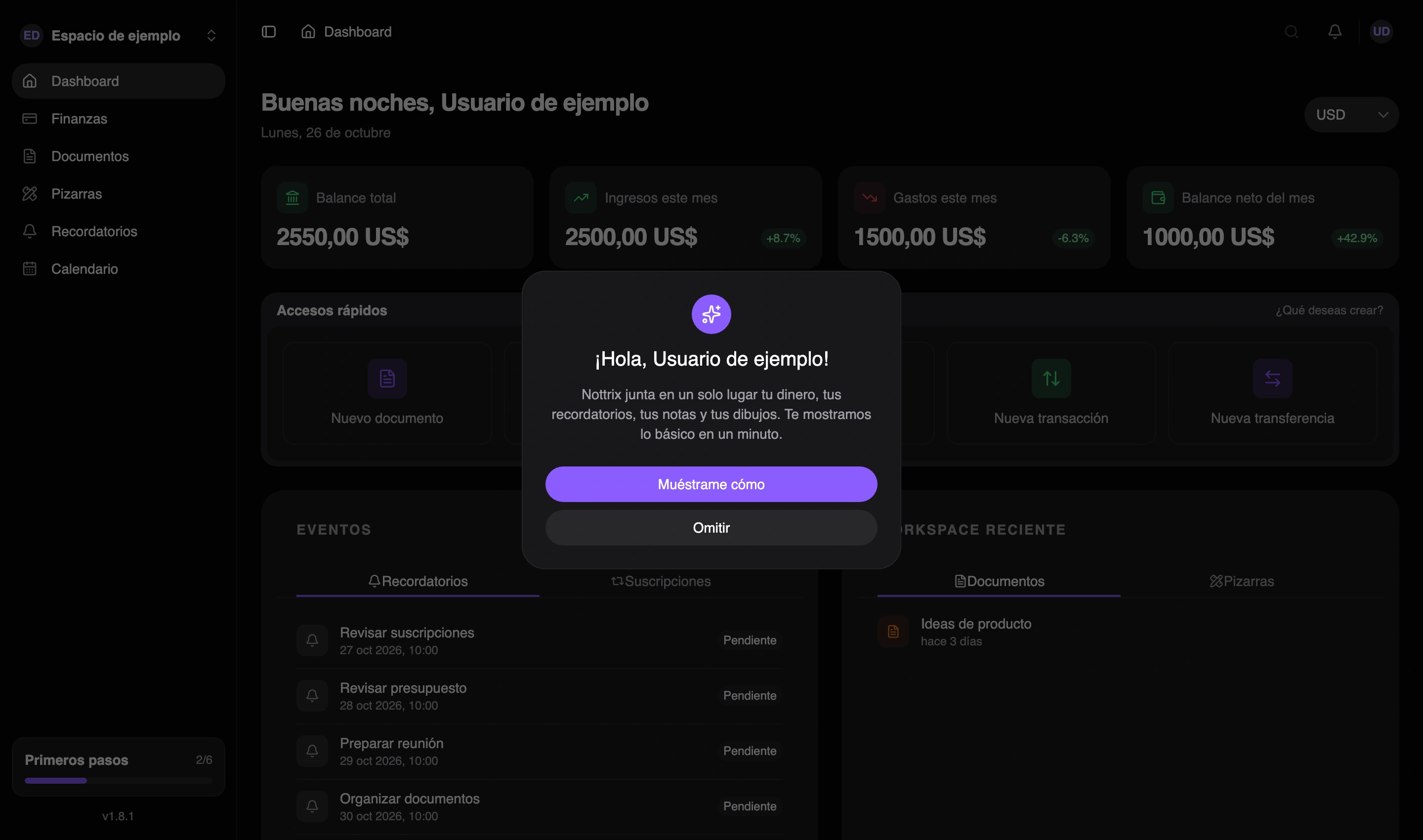
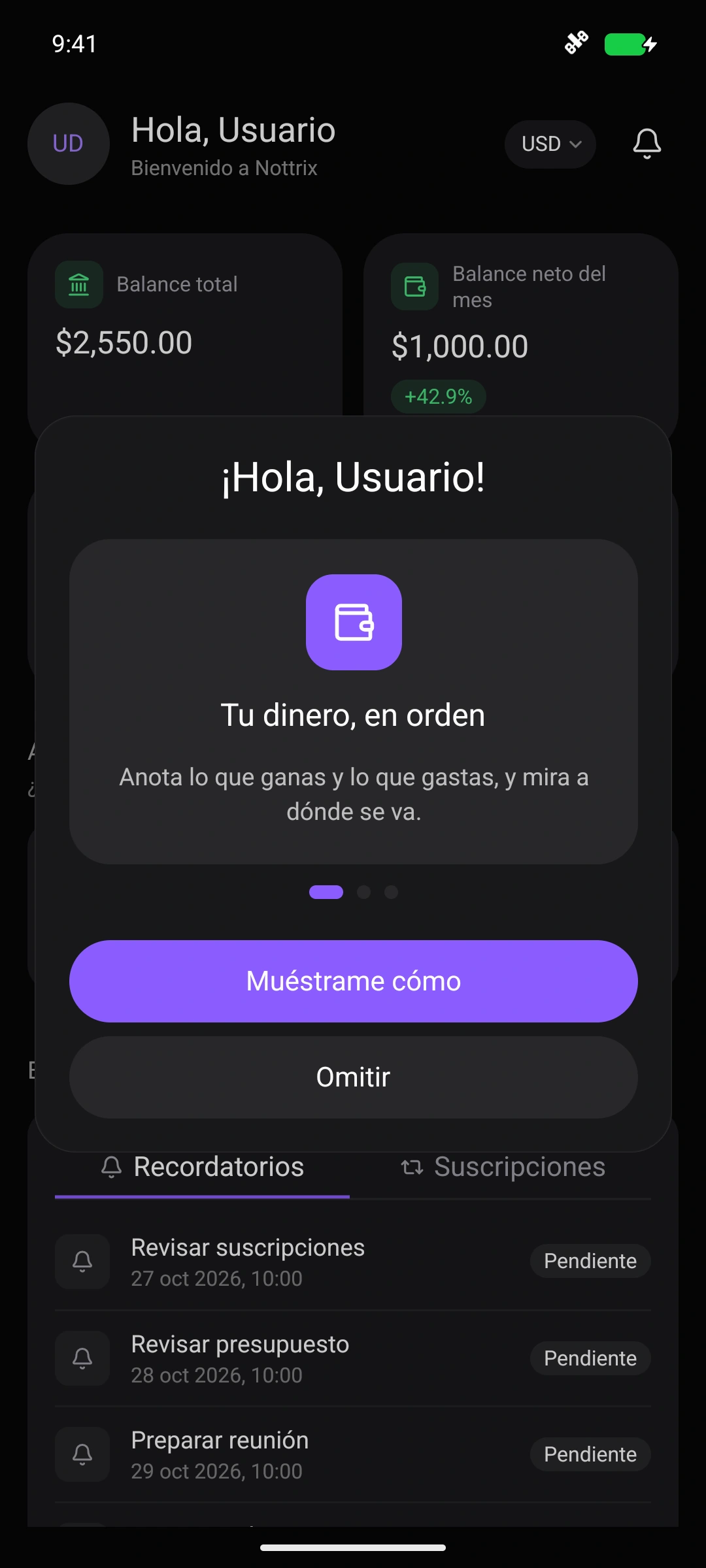
Using Nottrix every day makes it easy for me to know where everything is. Someone opening it for the first time does not have that familiarity. That led me to add a welcome tour on web and mobile, a getting started checklist and short tips when entering individual screens.
The checklist suggests concrete actions: create a finance account, record a first movement, set up a reminder, or start a document and a whiteboard. Progress is saved to the account. An unfinished tour can be resumed, skipped and replayed later; tips can also be disabled.
For me, this complements the work on the other modules: adding capabilities also means helping people discover when those capabilities are useful. Even the quick whiteboard draft now has its own introduction on first use.
Work you feel when using the app
An important part of these months has been keeping packages updated, especially those in the Expo ecosystem. It is recurring maintenance to incorporate fixes and security and performance improvements, alongside checking that the application still works correctly after each update.
I wrote about returning to this ecosystem in how Expo changed my opinion of React Native. In Nottrix, that maintenance has remained part of regular development.
I have also spent a lot of time optimizing the application: prefetching data during navigation, reusing the session instead of requesting it on every page change, splitting web routes into separate bundles, and reducing the queries needed for summary screens.
Document lists no longer need to download the full content of every file. I also optimized the bridge between native views and the web editors for documents and whiteboards: fewer updates are sent, and changes are batched before syncing. That reduces unnecessary work and helps editing feel smoother on a phone.
Forms can also close after saving without waiting for the entire list refresh to finish.
These changes are spread across many areas. I do not have an overall measurement that would let me claim the app is a specific percentage faster. What I can say as a daily user is that Nottrix feels increasingly smooth.
Continuing to build from daily use
Nottrix still has the same purpose as when I started it: helping me organize my life. Finances is the most established part of my routine, and the improvements to documents, whiteboards, and the calendar aim to give the rest of the application a place in it too.
Using it every day helps me decide what to work on next. Sometimes that will be a new feature. Other times it will mean removing a wait, adjusting a control on the phone, or letting me draw something without having to save it.
The project page remains the starting point for getting to know the application. This post records how it has continued to grow through everyday use.