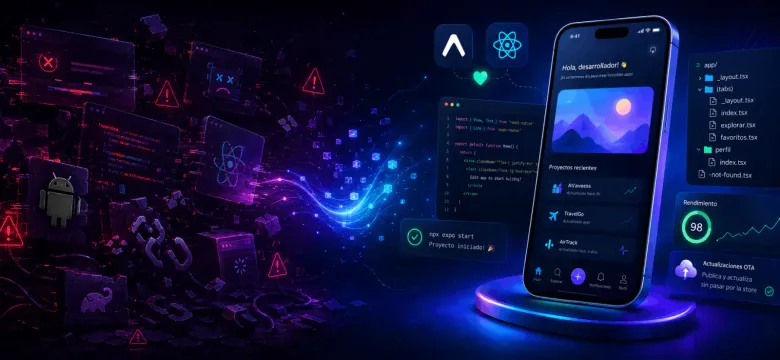
Some technologies leave such a bad first impression that you decide never to touch them again.
That is exactly what happened to me with React Native (opens in a new tab).
I discovered it not long after it was released. Since I was already working regularly with React, the idea was incredibly exciting: using my web development knowledge to build native mobile applications sounded amazing.
The reality was very different.
My First Days with React Native
My first experience was terrible.
The application broke constantly, even when I had barely changed the code. It could work one day and, after reinstalling the dependencies, start showing a completely different collection of errors.
Many of those errors did not seem related to React or JavaScript either. They came from Android, Gradle, native configuration, or dependencies I did not understand.
There was also the process of manually linking some libraries to the native projects. Installing a package did not always mean it was ready to use. In some cases, you had to modify Android or iOS files and hope nothing else broke.
For someone coming from web development, everything felt far too fragile.
Eventually, I gave up.
Then Flutter Arrived
Some time later, Flutter (opens in a new tab) appeared, and I decided to try it while it was still in beta.
The experience was much more pleasant. The environment felt more controlled, development was smooth, and I ran into fewer unexpected errors than I had with React Native.
The problem was Dart.
I do not consider Dart a difficult language, but at the time I did not have enough free time or a real application that justified learning all its details. I was only experimenting, so I eventually set Flutter aside as well.
The Early Days of Expo
Later, I discovered Expo (opens in a new tab).
For someone coming from web development, the idea was fantastic: create a project, scan a QR code, and see the application running on a phone without spending hours configuring Android Studio or Xcode.
However, Expo still had many limitations.
A large part of the native library ecosystem was not compatible with it. If you needed more advanced native functionality, you had to do what was known at the time as ejecting and start managing the native projects yourself.
React Native seemed divided between using bare React Native, with more control but also more complexity, or using Expo, with an easier experience but more limitations.
It was an interesting proposal, but it still felt incomplete.
Expo Is a Different Story Today
In 2026, Expo is no longer just a prototyping tool.
It has become a complete framework for building real applications and is now one of the recommended ways to start a new React Native project.
One of the biggest differences is that you no longer need to abandon Expo when your application requires a native library.
You can start quickly with Expo Go (opens in a new tab) and, when the project needs it, create a development build (opens in a new tab) containing your own native dependencies and configuration.
Tools such as Expo Prebuild (opens in a new tab) and config plugins (opens in a new tab) can also automate a large part of the Android and iOS configuration process.
This does not mean you will never need to touch native code. Complex applications may still require it.
The difference is that there is now a progressive path: you can start with a simple setup and introduce native complexity only when the project genuinely needs it.
Expo Router Made Everything More Familiar
Another major improvement was Expo Router (opens in a new tab).
If you come from frameworks such as Next.js (opens in a new tab), you are probably already familiar with file-based routing. You create files and directories, and they become the pages or routes of your application.
Expo Router brings a similar experience to React Native.
It uses React Navigation underneath, but the project structure is much clearer. Screens, layouts, tabs, and routes are organized in a way that feels natural for developers coming from the modern web ecosystem.
It also makes working with deep links and universal links easier, which is essential for many modern applications.
React Native Also Grew Up
Expo deserves a lot of credit, but it is not the whole story.
React Native has improved enormously over the years. The new architecture, Hermes (opens in a new tab), autolinking, and modern debugging tools have made development more stable and predictable.
Can an Android build still break because of Gradle? Can a strange iOS issue still appear?
Of course.
You are still building for two different platforms and relying on a large number of third-party dependencies.
But I no longer feel that everything can break randomly as easily as it did before. The documentation is better, errors are usually clearer, and the ecosystem offers more mature solutions.
Building Interfaces Is Faster Too
Tools such as NativeWind (opens in a new tab) and my current favorite, Uniwind (opens in a new tab), make styling much easier.
If you are already comfortable with Tailwind CSS, you can use a similar syntax in React Native and build interfaces very quickly.
Interestingly, I did not like Tailwind at all when it first appeared.
Over time, I learned to appreciate it, but that is a story for another post.
The ecosystem also has much better libraries for animations, gestures, forms, storage, and data management. Many problems that once required hours of research now have well-known and widely used solutions.
Artificial Intelligence Lowered the Barrier Even Further
On top of all these improvements, we now have modern AI development tools.
Claude Code, Codex, OpenCode, and other agents can help configure projects, integrate libraries, investigate errors, and explain native development concepts you may not work with every day.
They do not replace technical knowledge, and they do not automatically make good architectural decisions.
However, as assistants, they can significantly reduce the time required to investigate problems and start building an application.
Would I Use Expo Today?
Yes.
After my first experiences with React Native, I never expected to say this, but Expo would currently be my first choice for building a mobile application with React.
Not because it is perfect or because it removes all the complexity of Android and iOS.
I would choose it because it lets you start with a simple workflow and gradually increase the level of control.
You can begin with Expo Go, move to a development build, add native libraries, and continue using the rest of the Expo ecosystem without rebuilding your project from scratch.
If you tried React Native years ago and had an experience similar to mine, this may be a good time to give it another chance.
And if you have an application idea sitting in a notebook because mobile development seemed too complicated, this may be one of the best moments to start.
React Native and Expo have come a long way. The question now is: what are you waiting for to build that application?
Next step: turn motivation into architecture
The experience improves when the project has clear boundaries. Start with one small feature containing navigation, remote data, and a form; move to a development build when a real native requirement justifies it.
Do not try to anticipate the entire mobile architecture on day one. The same principle from making imperfect but correct decisions applies here: increase complexity only when the product provides evidence for it.